Ibis is a new app from Mohamed Said that helps you publish eBooks from markdown files and includes features for generating both light and dark ebooks, as well as the ability to choose your own fonts and more.
Ibis generates ebooks from your markdown files with:
- A cover photo.
- Clickable auto-generated table of contents.
- Code syntax highlighting.
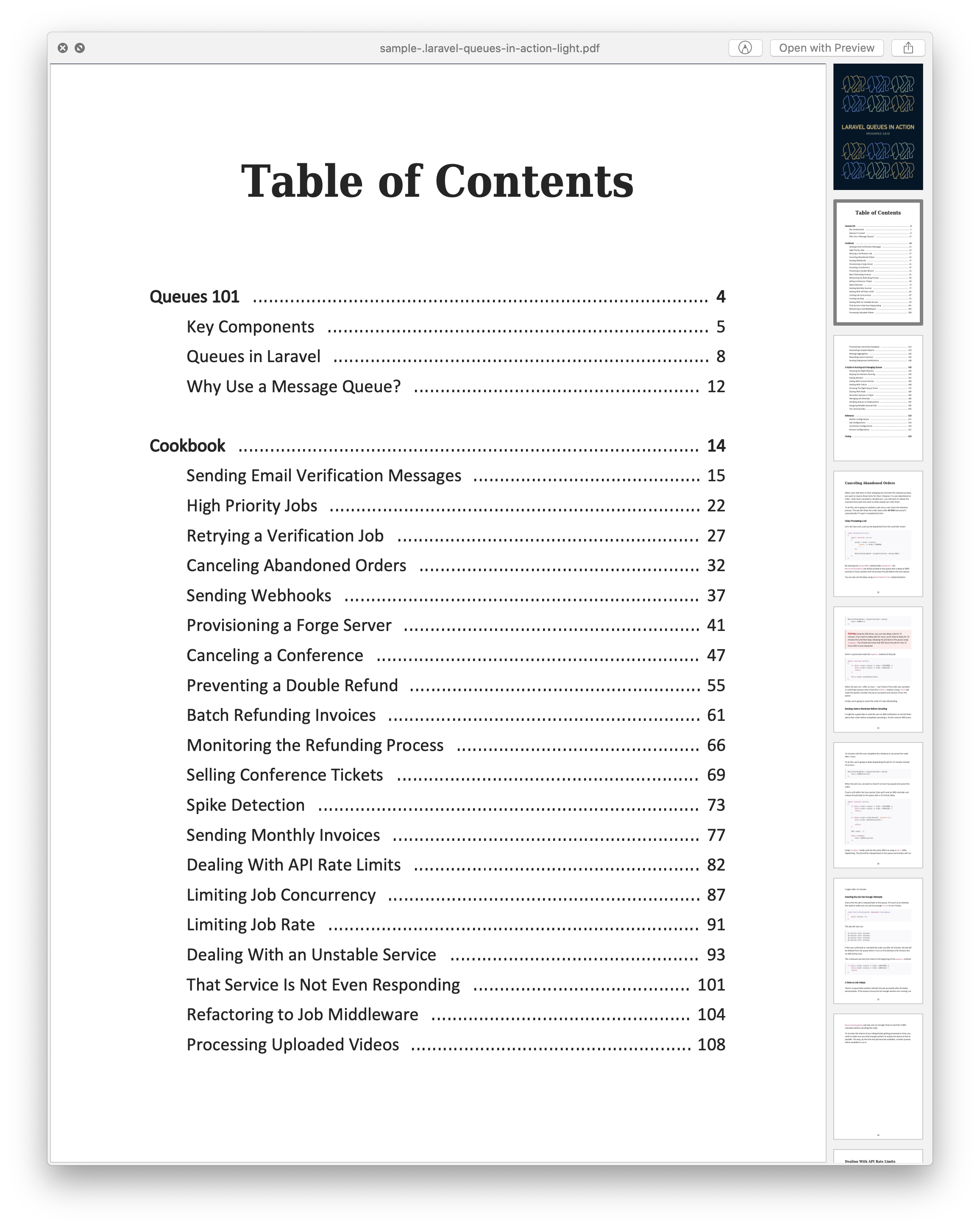
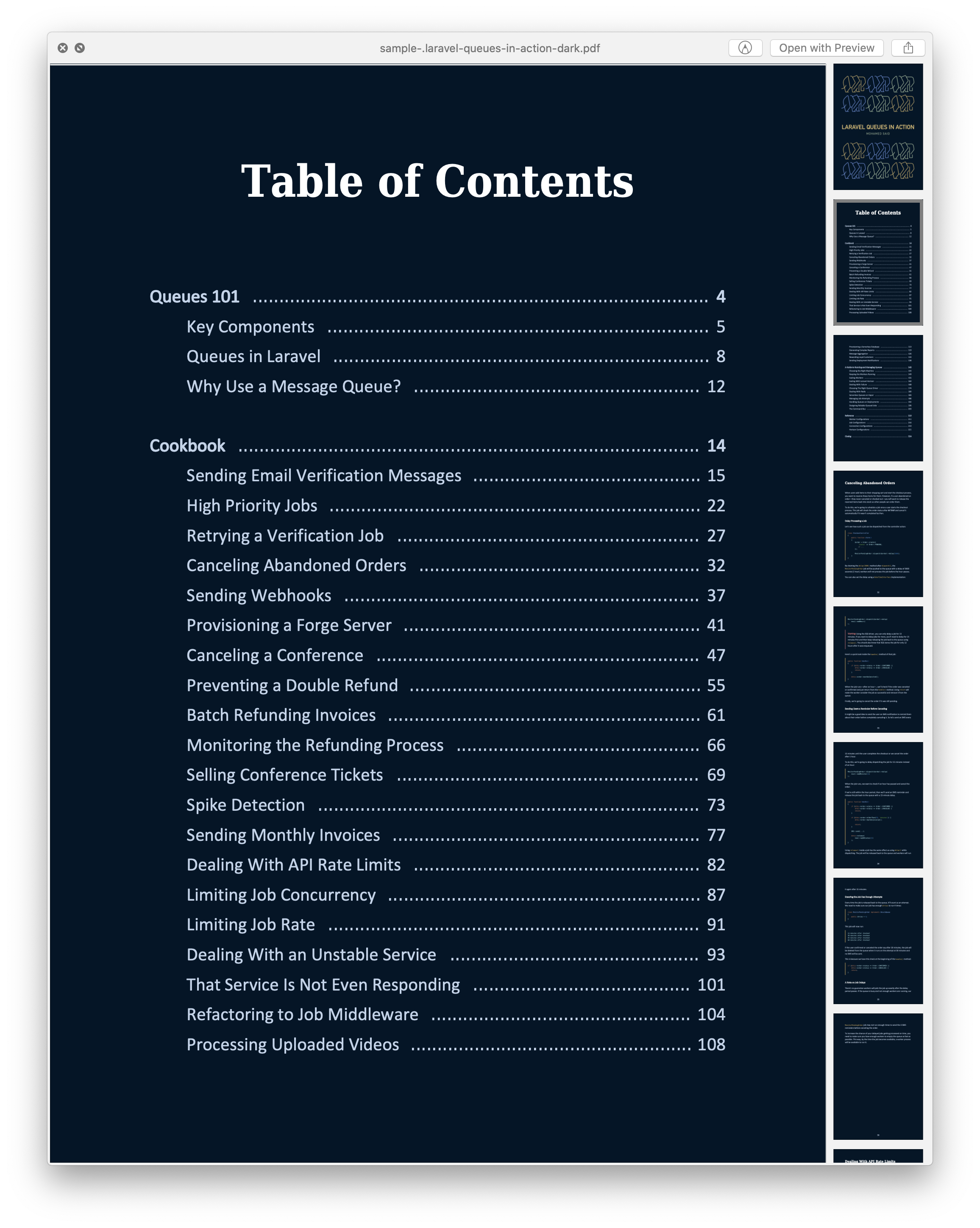
- Available in 2 themes. Light and dark.
Here is what both modes look like using the samples from Mohamed’s new ebook Laravel Queues in Action:
Let’s take a look a look at how to create your own ebook with Ibis.
Ibis Installation
To get started publishing your first book with ibis first run the installation:
composer global require themsaid/ibisNext, create a directory where you are going to house your ebook:
ibis initAfter running the init command you’ll now have the following directory structure:
/assets/assets/fonts/assets/cover.jpg/assets/theme-light.html/assets/theme-dark.html/content/ibis.phpCreating your first ebook
Now that you have the basic setup ready the first step is to edit the ibis.php file which is an array of settings.
<?php return [ /** * The book title. */ 'title' => 'My First Ebook', /** * The author name. */ 'author' => 'Eric L. Barnes', /** * The list of fonts to be used in the different themes. */ 'fonts' => [// 'calibri' => 'Calibri-Regular.ttf',// 'times' => 'times-regular.ttf', ], /** * Page ranges to be used with the sample command. */ 'sample' => [ [1, 3], ], /** * A notice printed at the final page of a generated sample. */ 'sample_notice' => 'This is a sample from "My First Ebook" by Eric L. Barnes. <br> For more information, <a href="https://laravel-news.com/">Click here</a>.',];Note: The fonts are commented out. If you wish to use your own fonts add the .ttf files to an assets/fonts directory and point to the filenames in the config.
Creating your content
The next step is to create your content in markdown. You can either create one huge markdown file or break it up however you wish into chapters or sections. The main thing to notice is when you build your ebook it will scan the content directory in alphabetical order, so you should following a naming pattern that puts things in the proper order for your book. For example, in my demo book I named the files:
./1-introduction.md./chapter1.md./chapter2.mdOnce you have all the files in place it’s time to add your ebook cover image. This image should be around 2481 × 3508 pixels and placed in the ./assets directory and named cover.jpg
After you’ve done that you can now build the first version of your book by running:
ibis buildBy default, this will create a light version but you can also create a dark version with:
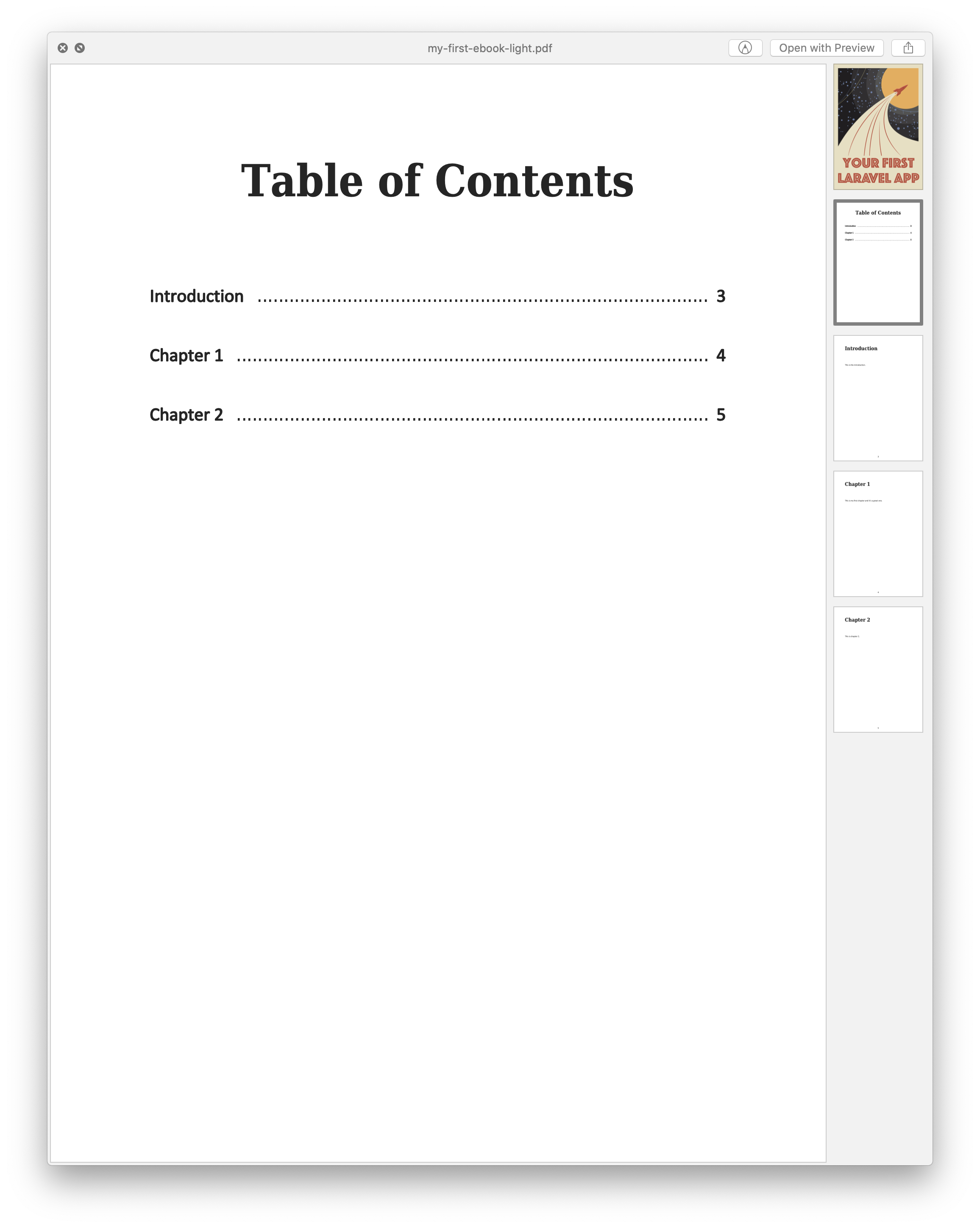
ibis build darkThe pdf for these will be generated complete with a cover image, a table of contents, and placed in your ./export/ folder.
Generating A Sample Ebook
Now that you have the basics of generating your ebook for publication you might want to sell it, but also give away certain parts as a free sample. If that is the case, Ibis has you covered with the ability to generate samples. Open up your ./ibis.php file again and scroll down and edit the sample and sample_notice sections:
'sample' => [ [1, 3],], /** * A notice printed at the final page of a generated sample. */'sample_notice' => 'This is a sample from "My First Ebook" by Eric L. Barnes. <br> For more information, <a href="https://laravel-news.com/">Click here</a>.',From here you can define the sample pages you want to export and a notice to appear at the end of the book. This will allow you to export certain chapters or sections with a link to buy the full version or some other notice. To generate this all you need to do is run:
ibis sampleIt’ll process it and put this sample PDF in the same export folder.
Wrap Up
Hopefully, this gives you a quick overview of Ibis and how it all works for building ebooks. I had the pleasure of using it to build an ebook titled “Your First Laravel App” and I’m giving this away free when you join our weekly Laravel newsletter. You should also check out Mohamed’s Learn Laravel Queues and give Ibis a try when you want to publish your next ebook. It’s a simple yet powerful app.