Get expert guidance in a few days with a Laravel code review

Learn how to create custom Facades in Laravel

Last updated on by

Learn how to create custom Facades in Laravel image

Laravel Facades are a fantastic feature of the Laravel framework, providing convenient access to services via a simple interface. One thing that confused me when I was first learning Laravel was the facade accessor method.

Once you understand that facades are a convenient way to access underlying services in Laravel's service container, you can easily track the service behind ANY facade. Each facade provides a getFacadeAccessor() method that points to the registered service name.

Here's an example of the facade accessor for the DB Facade:

// Illuminate\Support\Facades\DB;
 
protected static function getFacadeAccessor()
{
return 'db';
}

So, the 'db' string points to a service in the container, which the facade will use to resolve. If you jump over to a tinker session, you can try it out for yourself:
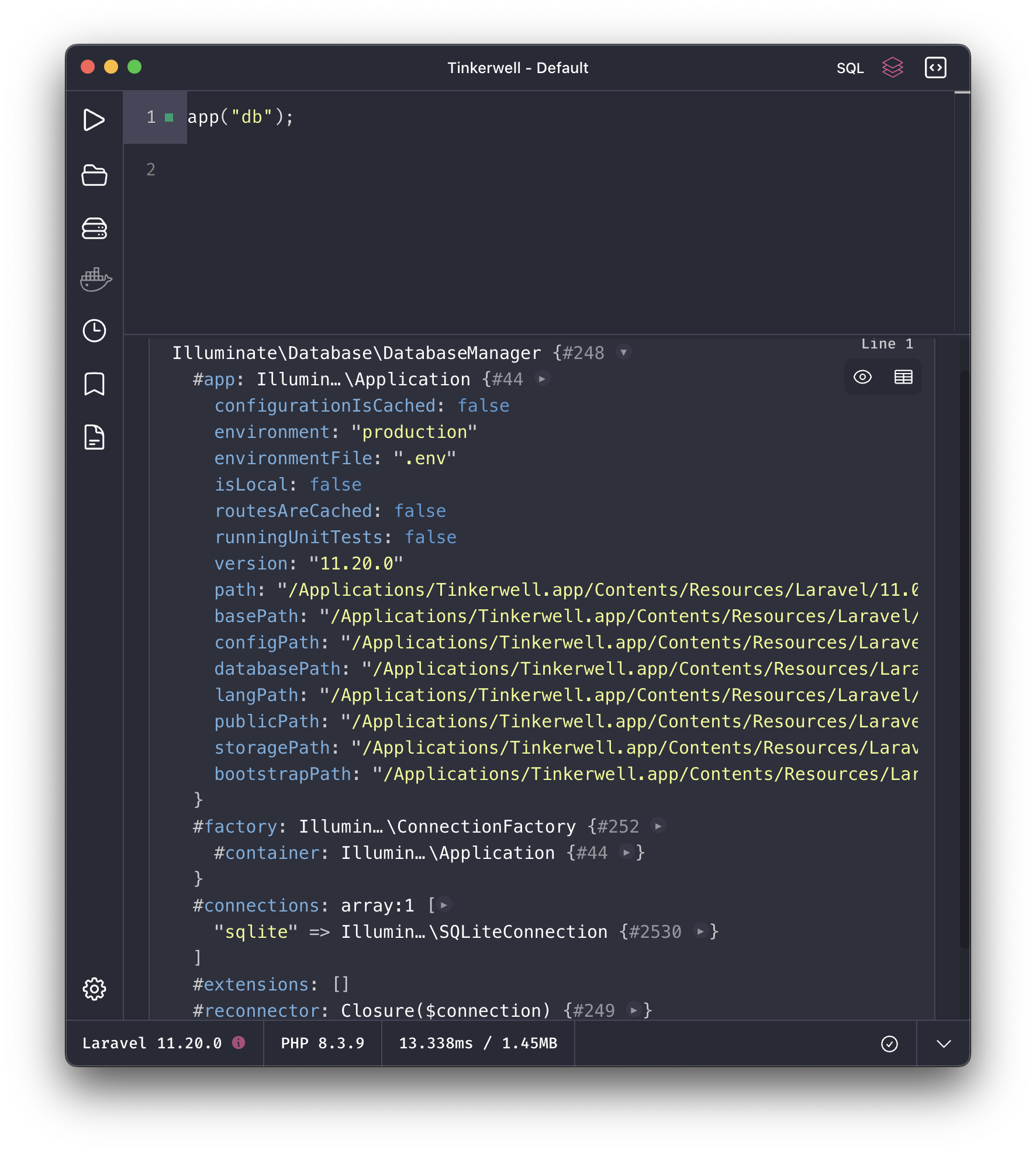
Some Facades might resolve to a manager class, which will then dynamically pass methods to an underlying macro or database connection class:

public function __call($method, $parameters)
{
if (static::hasMacro($method)) {
return $this->macroCall($method, $parameters);
}
 
return $this->connection()->$method(...$parameters);
}

When called without a connection, the DatabaseManager will use the default connection (sqlite in my example above), and call methods on that connection.

I recommend reading how facades work in the Laravel documentation, which also has a list of Facade references that are available through the framework.

Creating Your Own Facades in Laravel

Why would you ever want to create a Facade within your application if you're not creating a plugin or working on the Laravel framework directly? Some developers prefer to only use dependency injection for services defined in the application code, and that's fine. However, I find it convenient to define Facades for services I use frequently either through helpers or an App\Facades namespace. I enjoy Laravel's flexibility while still laying down conventions to be productive in an unfamiliar codebase.

To create a Facade within your application code, I'd recommend the make:class command to generate a Facade, which you can do as follows:

php artisan make:class App/Facades/Example

Let's say you defined a service in your app service provider called App\ExampleService; you could then create a Facade for it after generating the class:

namespace App\Facades;
 
use Illuminate\Support\Facades\Facade;
 
class Example extends Facade
{
public static function getFacadeAccessor()
{
return 'example_service';
}
}

You could just as easily make the Facade accessor the string of the fully qualified class if you didn't define an alias or use a string to define it in the service provider:

public static function getFacadeAccessor()
{
return \App\ExampleService::class;
}

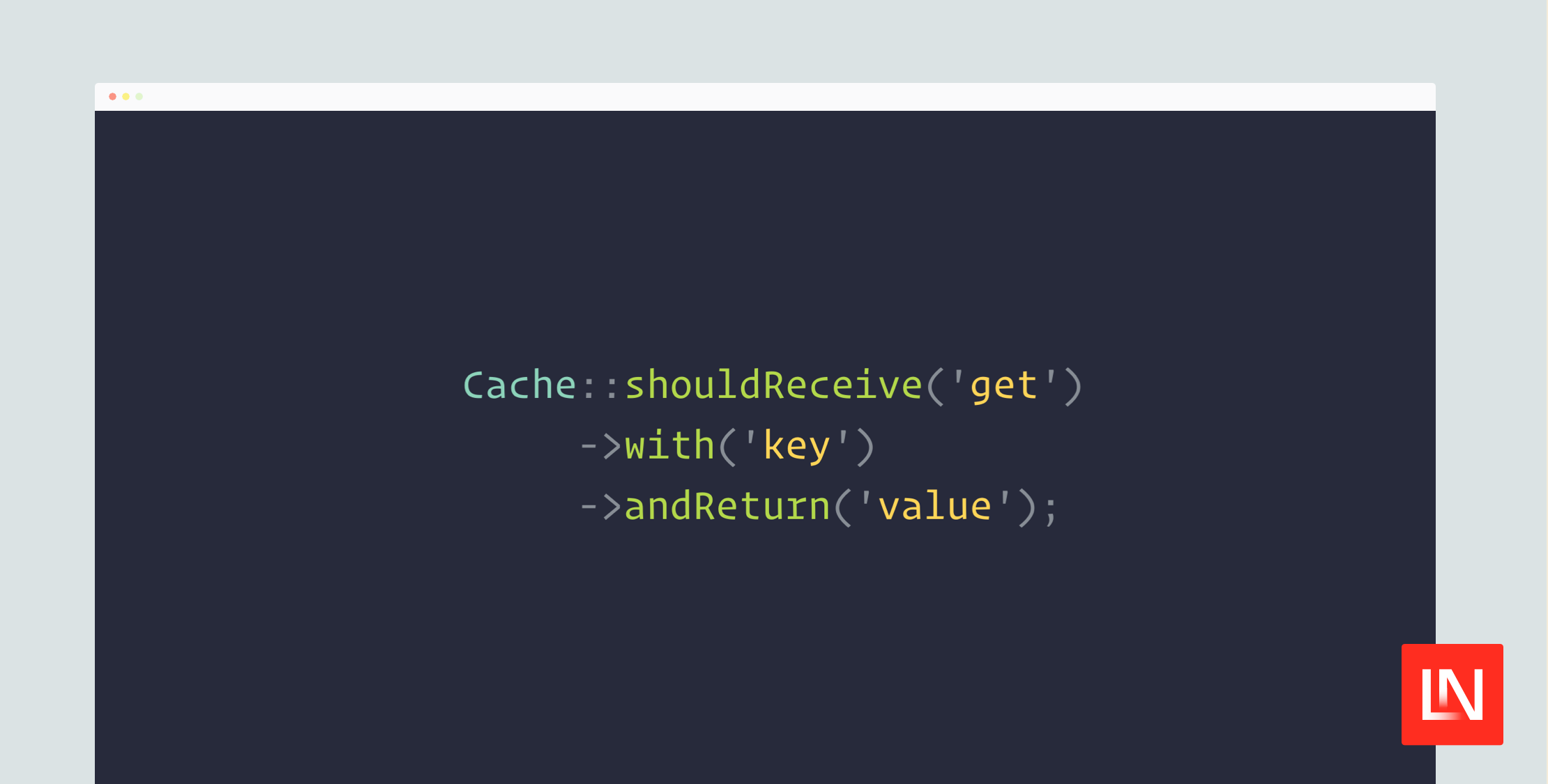
Facades have the nice convenience of directly mocking the underlying service class in a test:

use App\Facades\Example;
 
Example::shouldReceive('getLatestPosts')
->with($after_date)
->andReturn($test_posts);

If you were not using the Facade, Laravel provides other convenient mocking methods like partialMock() to conveniently swap a service for a mock in a test. With the service, you could do this directly in a test like so:

$mock = $this->partialMock(MyApiService::class, function (MockInterface $mock) {
$mock->shouldReceive('getLatestPosts')
->with($after_date)
->andReturn($test_posts);
});

It is up to you to decide the approach you want to take, but if you make heavy use of a service in your application, consider creating a Facade to provide some convenience around using your service without the loss of features dependency injection offers.

Paul Redmond photo

Staff writer at Laravel News. Full stack web developer and author.

Cube

Laravel Newsletter

Join 40k+ other developers and never miss out on new tips, tutorials, and more.

image
Laravel Code Review

Get expert guidance in a few days with a Laravel code review

Visit Laravel Code Review
Laravel Cloud logo

Laravel Cloud

Easily create and manage your servers and deploy your Laravel applications in seconds.

Laravel Cloud
PhpStorm logo

PhpStorm

The go-to PHP IDE with extensive out-of-the-box support for Laravel and its ecosystem.

PhpStorm
Acquaint Softtech logo

Acquaint Softtech

Acquaint Softtech offers AI-ready Laravel developers who onboard in 48 hours at $3000/Month with no lengthy sales process and a 100 percent money-back guarantee.

Acquaint Softtech
Harpoon: Next generation time tracking and invoicing logo

Harpoon: Next generation time tracking and invoicing

The next generation time-tracking and billing software that helps your agency plan and forecast a profitable future.

Harpoon: Next generation time tracking and invoicing
Lucky Media logo

Lucky Media

Get Lucky Now - the ideal choice for Laravel Development, with over a decade of experience!

Lucky Media
Tinkerwell logo

Tinkerwell

The must-have code runner for Laravel developers. Tinker with AI, autocompletion and instant feedback on local and production environments.

Tinkerwell
Get expert guidance in a few days with a Laravel code review logo

Get expert guidance in a few days with a Laravel code review

Expert code review! Get clear, practical feedback from two Laravel devs with 10+ years of experience helping teams build better apps.

Get expert guidance in a few days with a Laravel code review
Kirschbaum logo

Kirschbaum

Providing innovation and stability to ensure your web application succeeds.

Kirschbaum
SerpApi logo

SerpApi

Access real-time search engine results through a simple API—no more scraping headaches! Use it for AI applications, SEO tools, product research, travel information, and more

SerpApi
SaaSykit: Laravel SaaS Starter Kit logo

SaaSykit: Laravel SaaS Starter Kit

SaaSykit is a Multi-tenant Laravel SaaS Starter Kit that comes with all features required to run a modern SaaS. Payments, Beautiful Checkout, Admin Panel, User dashboard, Auth, Ready Components, Stats, Blog, Docs and more.

SaaSykit: Laravel SaaS Starter Kit
Shift logo

Shift

Running an old Laravel version? Instant, automated Laravel upgrades and code modernization to keep your applications fresh.

Shift

The latest

View all →
Laravel Installer Now Returns JSON When Running Inside an AI Agent image

Laravel Installer Now Returns JSON When Running Inside an AI Agent

Read article
Queue-Wide Inspection Methods in Laravel 13.8.0 image

Queue-Wide Inspection Methods in Laravel 13.8.0

Read article
Verifiable Audit Logging with Laravel Chronicle image

Verifiable Audit Logging with Laravel Chronicle

Read article
Ship AI with Laravel: Search Entire PDFs with Zero Search Logic image

Ship AI with Laravel: Search Entire PDFs with Zero Search Logic

Read article
Personalized Content Delivery System: Building an AI-powered recommendation engine with Laravel and MongoDB image

Personalized Content Delivery System: Building an AI-powered recommendation engine with Laravel and MongoDB

Read article
Laravel Brain: Visualize Your Application's Request Lifecycle image

Laravel Brain: Visualize Your Application's Request Lifecycle

Read article