VS Code - as many code editors do - includes a feature called "snippets". The feature allows you to configure shortcuts for pieces of code that you use often. For example, you could set up a snippet so that you type a few characters like fun, press tab, and it'll expand into a whole function declaration.
I've recently been making another round at optimizing my VS Code setup, so I skimmed through Caleb Porzio's Make VS Code Awesome course again. It reminded me how useful and powerful these snippets can be, so I started thinking about new ones I could add that would make my life easier. Today, I'll share some of those with you and maybe you can take a few away that will be useful to your workflow. Specifically, I'll be sharing ones I use when developing Livewire and Alpine.js apps.
How to configure snippets in VS Code
To start off, how do you configure snippets in VS Code? If you already know how, you can skip this section and get to the good part.
First, open the Command Pallette by pressing cmd+shift+p on Mac or ctrl+shift+p on Windows. Start typing in "Snippets" and it should filter down to an option called "Snippets: Configure User Snippets". Select that option, then it will prompt you to select the language you want to configure snippets for.
Following the basic example I mentioned earlier, if you select "javascript.json (JavaScript)" and paste the following snippet inside, you should have successfully configured a "function" snippet that'll be available when you're writing in a JS file.
{ "Function": { "prefix": "fun", "body": [ "function $1($2) {", " $3", "}" ] },}The configuration of snippets is relatively simple. Each snippet is a JSON object. The key of the object is the snippet name. The prefix inside is the shortcut you'll use to insert the snippet into your code. The body is an array of lines that will be inserted as part of the snippet. You can also include placeholders in the snippet by using $1, $2, $3, etc. After you insert the snippet, you can continue pressing tab and it'll move your cursor to each of the placeholders. In this example, the placeholders make it really easy to add the function name, parameters, then body.
PHP/Livewire
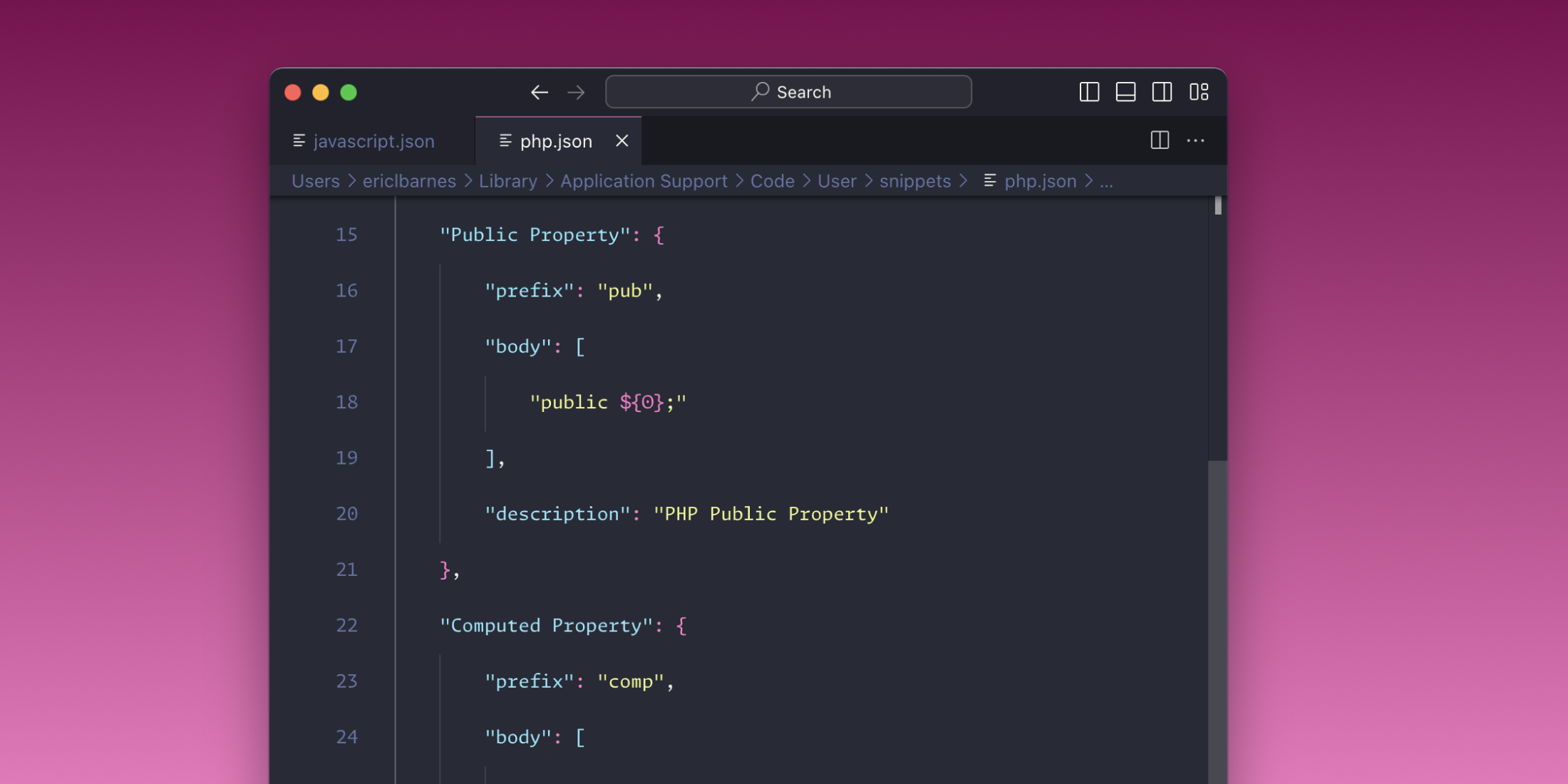
Now that you know how to configure a snippet let's go over some of my favorites for PHP and Livewire classes. These can be configured by selecting "php.json (PHP)" in the Command Pallette.
Class properties and methods cover the basics, but I recent added snippets for Livewire's mount method, #[Computed] properties (including the PHP attribute), and #[Url] properties.
{ "Public Property": { "prefix": "pub", "body": [ "public ${0};" ], "description": "PHP Public Property" }, "Computed Property": { "prefix": "comp", "body": [ "#[Computed]", "public function $1()", "{", " $2", "}" ] }, "Livewire Url Property": { "prefix": "url", "body": [ "#[Url$3]", "public $1 = $2;", ] }, "Livewire Mount Method": { "prefix": "mount", "body": [ "public function mount()", "{", " $1", "}" ] }, "Method": { "prefix": "met", "body": [ "public function $1($2)", "{", " $3", "}" ] }, "Private Method": { "prefix": "pmet", "body": [ "private function ${1}(${2})", "{", " ${0}", "}" ], "description": "PHP private function" },}Blade and Alpine.js
Some of my favorites for Blade and Alpine snippets are:
conforconsole.lograwforconsole.logwith the value wrapped inAlpine.raw(a tip I covered in a recent article)tailwindcdnfor the Tailwind CDN script which is useful for quickly setting up Tailwind for demos and testing ideas out
These can be configured by selecting "blade.json (Blade)" in the Command Pallette.
{ "Console Log": { "prefix": "con", "body": [ "console.log($1)" ] }, "Console Log (Alpine.raw)": { "prefix": "raw", "body": [ "console.log(Alpine.raw($1))" ] }, "Tailwind Play CDN": { "prefix": "tailwindcdn", "body": [ "<script src=\"https://cdn.tailwindcss.com\"></script>" ] },}If you're using Livewire Volt's class API, you might find it useful to include you normal PHP snippets in the Blade configuration as well.
I hope you were able to find some of the snippets useful or at least got some inspiration for snippets that will benefit your own workflow! Again, if you haven't checked out Caleb's Make VS Code Awesome course yet, I highly recommend it. It includes a bunch of other snippets that I didn't cover here, plus theming, keyboard shortcuts, extensions, and more.

TALL stack (Tailwind CSS, Alpine.js, Laravel, and Livewire) consultant and owner of designtotailwind.com.